Before the first photo, your browser downloads about 20 MB: the 4.6 MB model that finds the subject and the 14.8 MB engine that runs it. On mobile data, that is worth knowing. It happens once; after that both come from the browser’s cache.
A 600 × 400 photo of a coffee cup on a wooden table took about 5 seconds on a 4-core computer the first time, nearly 2 of them for loading the model, and about 3 seconds for each photo after that. The cup, saucer and spoon came out whole, with the table gone. Switching between Transparent, White and Color afterwards is quick, because the model does not run again; only the background is redrawn.
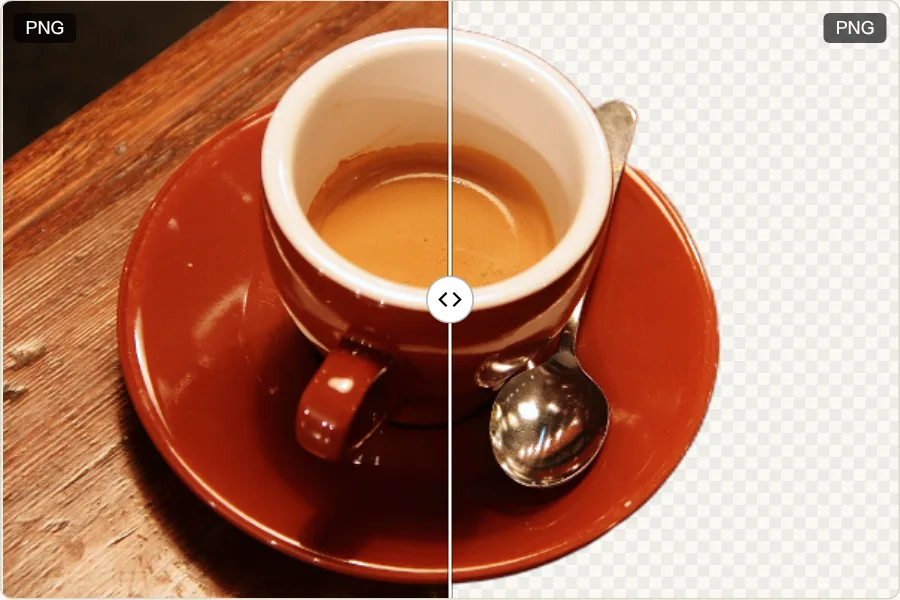
What gives a clean cut-out?
One subject that stands out from what is behind it: a product on a table, a cup, a person against a plain wall, with some space around it. The model rates every pixel from “background” to “subject” and keeps the most eye-catching object, so a group photo or a busy street gives uneven results. Subject and background in similar colors are the hardest case.
Where does it struggle?
Close-ups and fine strands. A close-up of a cat’s face that fills almost the whole frame kept the face and ears, but the whiskers reaching past the outline were cut off, and the fur along the edge came out smoother than it is. Loose hair and lace behave the same way. When an edge is wrong, a second photo with a plainer background usually helps more than anything else.
Transparent, White or Color?
Transparent gives a PNG, for slides, websites, or placing on another picture. White or a color of your choice gives a JPG, which suits shop listings and forms that ask for a plain background. Expect the PNG to be large: the coffee photo, 442 KB as PNG, became 540 KB with transparency.
What kind of model is it?
U²-Net-p, a small neural network for finding the main object in a picture, published by Qin and colleagues in 2020 under the Apache 2.0 license, which allows commercial use. It runs in ONNX Runtime inside your browser. It was chosen because it is small enough to download in a web page; that is also why its edges are softer than those of large models. The original pixels are not changed, only a transparency channel is added; EXIF data is not copied.